I’ll bury the lede at the outset: it’s curious that writing a post now takes me more typing and less effort than it used to. I used to rely on the clicky buttons and pull-down selectors of the WordPress visual editor pane, what other platforms call the rich text window or WYSIWYG editor, saving the prettifying for a later editing pass. That’s gone: I’ve dropped WordPress completely. For the past few years, I’ve worked in Markdown and a lightweight text editor. Instead of pressing the WordPress publish button in a browser, I run a Python script and two Git commits in a terminal and push a plaintext file through some scripting to live HTML. No on-call assembly from a (corruptible, ahem) database. The biggest obstacle to getting this site back online was extracting the writing from the damaged archived MySQL database into usable form. As much as I liked the simplicity of WordPress, especially in the early days from 2004 to 2006 or so—I arrived with the Movable Type licensing exodus—after 2010 it got bloated and cumbersome in the shift from blogging platform to content management system, more so with 2011’s e-commerce plugin boom. It did what I needed, but with too much clicking and switching, too many selectors and choices.
These days, the work is all text. I’ll still have different windows open in different apps—Drafts for this, iA Writer if it gets longer, or Obsidian, templated directly into the vault; the command line in iTerm handles the Python and Git moves. My starting files are Markdown, and when I need a PDF I’ll use Pandoc and a stylesheet. The helpful part of working with text, as I’ve hinted above, is that it’s scriptable: moving text can be automated, and I can worry about words rather than documents. If you’re a writer or student or teacher or designer, I figure you’ve maybe wrestled with questions of which PDFs go where and how they travel with other documents: the apparatus becomes bigger than the work.
The need for scripting work started with the blog. Jekyll, the translator that turns a Markdown file into this page, does the publishing now, and several small scripts around it do checking and moving. My hands stay on the keyboard and I style as I go. I stitched together other scripts for work unrelated to blogging, and using the tools seemed to tip me into making them. Less time messing with documents, more time putting ideas into prose.
Here’s the larger part.
I’ve used a Mac since college, and I’m partial to macOS. It offers a powerful set of tools for reading, thinking and writing: Obsidian, DEVONthink, Bookends, Drafts, Scrivener. Plaintext gave me a way to get them talking to each other—a note that knows which PDF it came from, a citation that shows up where I need it while I’m writing, a draft that carries its sources—and a way to reach out to library and database sources. I wrote those as one-off scripts for the macOS Unix foundation, run from the command line; they eventually filled a folder. The folder needed organizing, organizing needed a shape: snippets to swap out or maintain, a tracked record of what changed and why, enough written down for me to build on. No more hunting duplicate PDFs through nested folders, re-importing sets of citations, hand-updating indices of notes.
The result is a portable, semi-automated system supporting scholarly writing and reading. VIRENS keeps research sources, notes and drafts in conversation with one another, and tracks that conversation’s changes and revisions. A screenshot, as a taste of the apparatus:
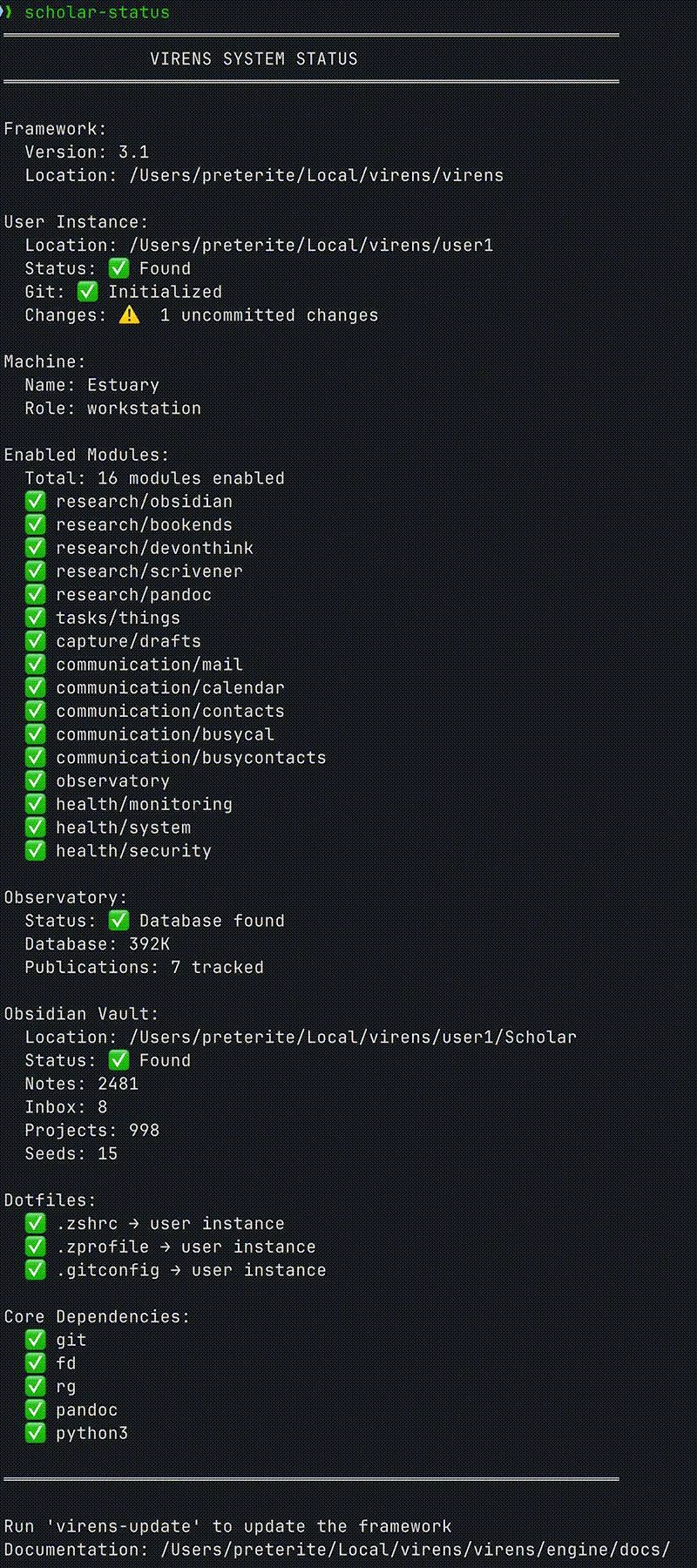
The GitHub repo for the project is pre-public: while the VIRENS core is complete and running, it needs tuning and packaging and documentation for release. Its principles govern a classroom approach described on the Projects page.
The question I’d hope an audience might ask: does it work?
Oh my yes, it works.
Reply:
Moderation queue may take a bit.